.svg)
Important: Creator Analytics by CreatorDB currently only supports YouTube, Instagram, and TikTok.
Note: This feature is unavailable in the Free plan. To upgrade from the Free plan, please visit CreatorDB’s Pricing page.
-
Open the Chrome browser.
-
Go to a supported social media platform.
-
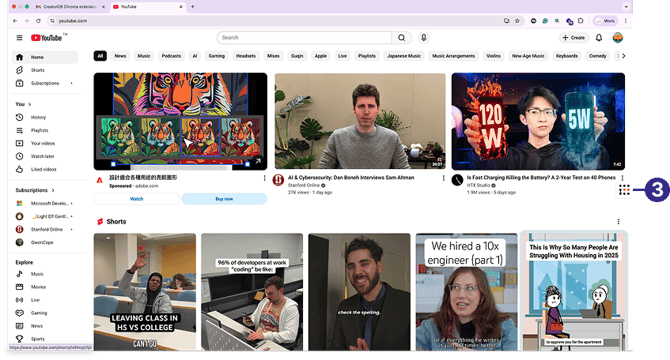
Click the CreatorDB icon.
-
Log in to your CreatorDB account.
-
Go to a creator’s account or channel.
Note: It may take a few seconds for Creator Analytics by CreatorDB to load a creator’s data.
Tip: If the Creator Analytics by CreatorDB fails to update the data when you switch to another creator’s account, try closing the extension and opening it again.
-
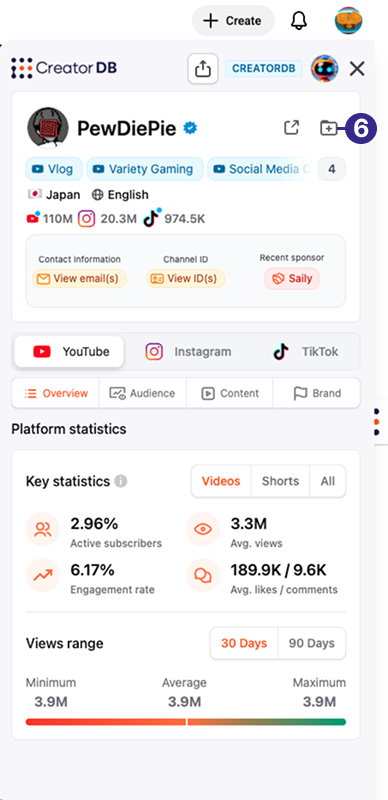
Click Add to group.
-
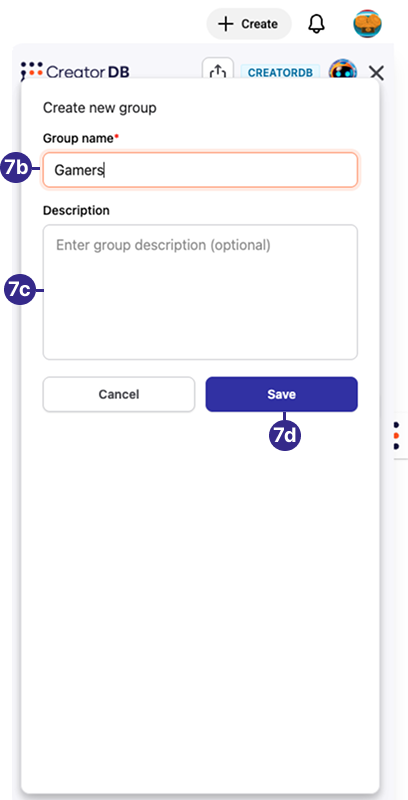
Optional: Create a new group.
-
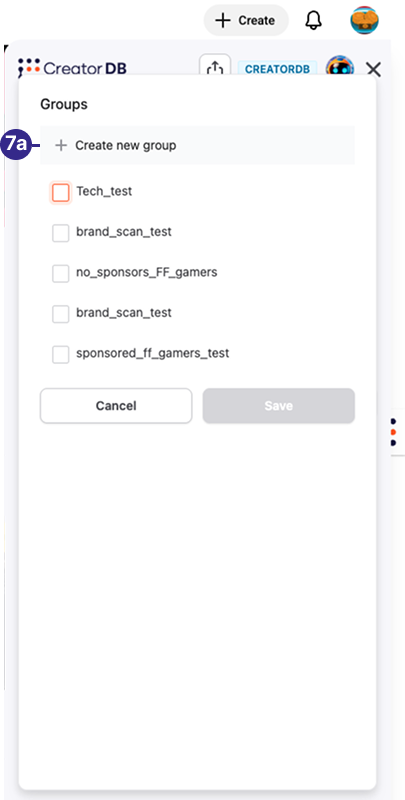
Click Create new group.
-
Enter a group name.
-
Optional: Enter group description.
-
Click Save.
-
-
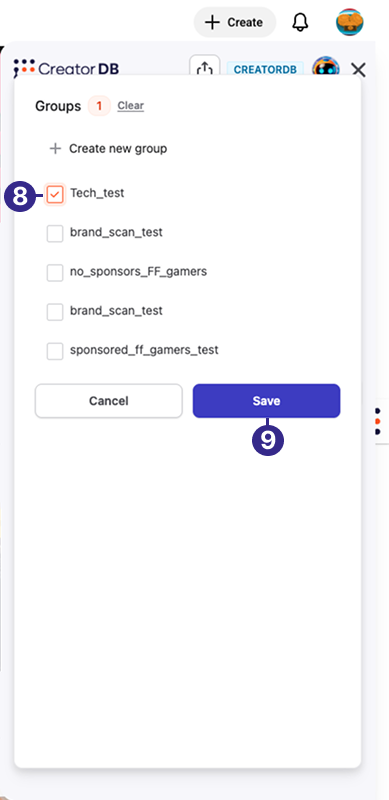
Select a group.
-
Click Save.