.svg)
Creator Analytics by CreatorDB allows you to view the following creator’s TikTok performance metrics:
TikTok overview
Important: Creator Analytics by CreatorDB currently only supports YouTube, Instagram, and TikTok.
-
Open Chrome.
-
Go to a social media platform.
-
Click the CreatorDB icon.
.png?width=670&height=394&name=Group%2075%20(1).png)
-
Log in to your CreatorDB account.
-
Go to a creator’s account or channel.
Note: It may take a few seconds for Creator Analytics by CreatorDB to load a creator’s data.
Tip: If Creator Analytics by CreatorDB fails to update data when you switch to another creator’s account, try closing the extension and opening it again.
-
Click TikTok.
-
Click Overview.
You can view the following platform statistics: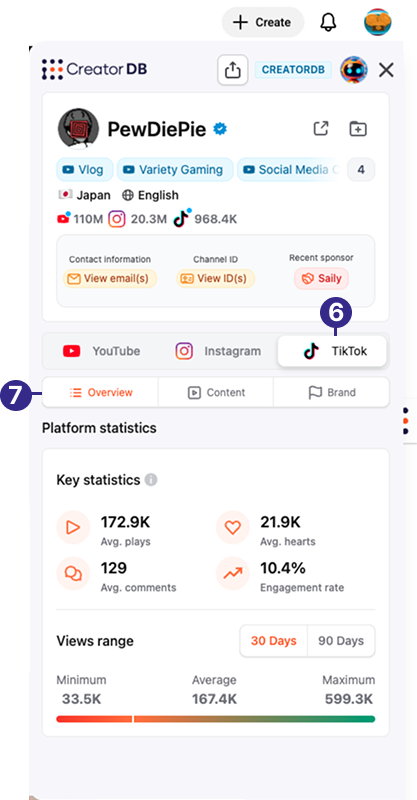
Key statistics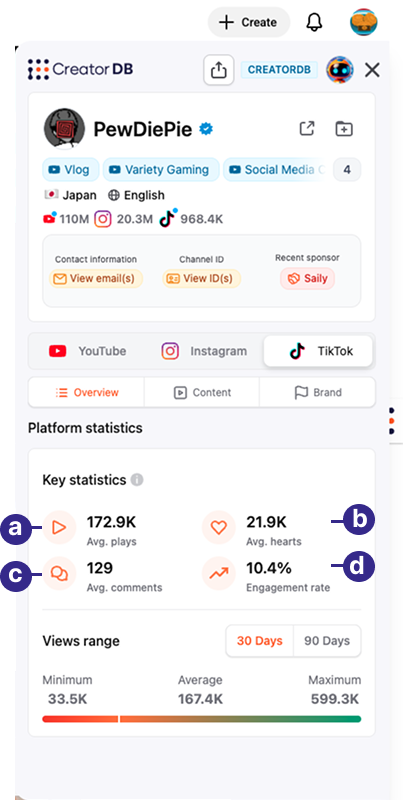
Callout Label Description a Avg. plays The average number of plays the creator’s TikTok posts received over one year. b Avg. hearts The average number of hearts the creator’s TikTok posts received over one year. c Avg. comments The average number of comments the creator’s TikTok posts received over one year. d Engagement rate The average engagement rate of the creator’s TikTok posts over one year. The TikTok engagement rate is calculated as: (Hearts + Comments + Shares)/ Plays Note: Units in the sample screenshot are represented in thousands (1K =1,000) or millions (1M= 1,000,000).
Views range
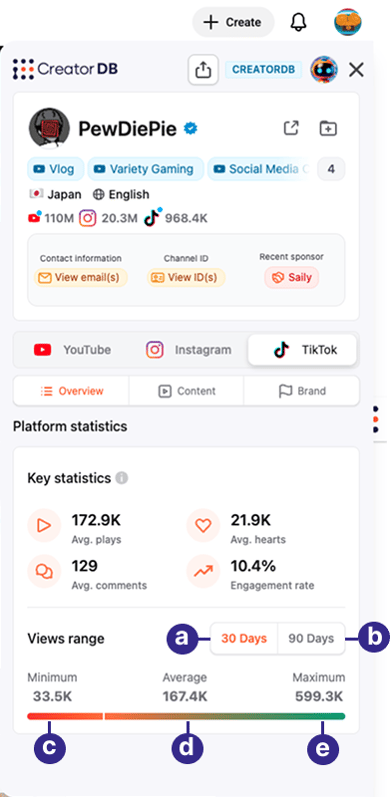
Callout Label Description a 30 Days The distribution of this creator’s TikTok posts plays over the last 30 days. b 90 Days The distribution of this creator’s TikTok posts plays over the last 90 days. c Minimum The minimum number of plays this creator’s TikTok posts received over a specified period. d Average The average number of plays the creator’s TikTok posts received over a specified period. e Maximum The maximum number of plays the creator’s TikTok posts received over a specified period. Note:
- This feature is limited to five creator profiles in the Free plan. To upgrade from the Free plan, please visit CreatorDB’s Pricing page.
- Units in the sample screenshot are represented in thousands (1K =1,000) or by the millions (1M= 1,000,000).
TikTok content
Important: Creator Analytics by CreatorDB currently only supports YouTube, Instagram, and TikTok.
-
Open Chrome.
-
Go to a supported social media platform.
-
Click the CreatorDB icon.
.png?width=662&height=391&name=Group%2075%20(1).png)
-
Log in to your CreatorDB account.
-
Go to a creator’s account or channel.
Note: It may take a few seconds for Creator Analytics by CreatorDB to load a creator’s data.
Tip: If Creator Analytics by CreatorDB fails to update data when you switch to another creator’s account, try closing the extension and opening it again.
-
Click TikTok.
-
Click Content.
You can view the following post information: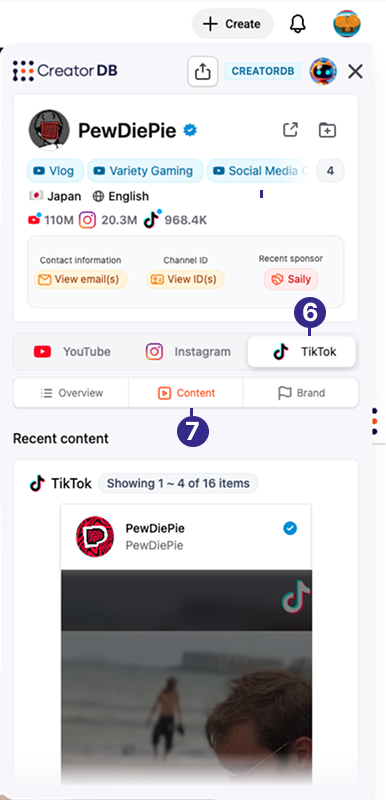
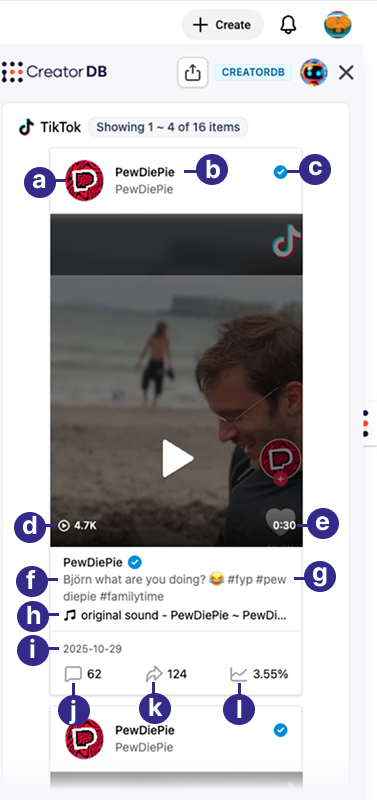
| Callout | Label | Description |
|---|---|---|
| a | Profile picture | The creator’s TikTok profile picture. |
| b | TikTok handle | The creator’s TikTok account username. |
| c | Verification badge | TikTok verified creators will show a blue verification badge. |
| d | Plays | The number of plays this TikTok post received. |
| e | Post length | The length of the TikTok video in minutes. |
| f | Description | The TikTok post’s description. |
| g | Hashtags | The hashtags that the creator added to this TikTok post. |
| h | Audio source | The source of the TikTok post’s audio track. |
| i | Publish date | The date that the TikTok post was published by this creator. |
| j | Comments | The number of comments the TikTok post received. |
| k | Shares | The number of shares the TikTok post received. |
| l | Engagement rate | The average engagement rate of the creator’s TikTok posts over one year. TikTok engagement rate is calculated as follows: (Hearts + Comments + Shares)/ Plays |
Note: Units in the sample screenshot are represented in thousands (1K =1,000) or millions (1M= 1,000,000).
Content data metrics
CreatorDB provides content information, including hashtags, topics, and niches, which can help you gain a better understanding of the creator’s content type. Additional metrics show the creator's posting frequency, which can serve as a productivity indicator.
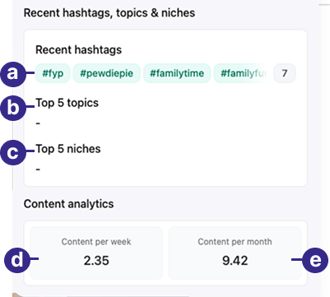
| Callout | Label | Description |
|---|---|---|
| a | Recent hashtags | Hashtags used by the creator in recently published TikTok posts over the last 30 days. Displays up to 64 hashtags. |
| b | Top 5 topics | The top 5 topics chosen by the creator for recently published TikTok posts over the last 30 days. |
| c | Top 5 niches | The top 5 niches assigned by CreatorDB’s AI model to the creator’s recently published TikTok posts over the last 30 days. |
| d | Content per week | The average number of TikTok posts, the creator publishes weekly. |
| e | Content per month | The average number of TikTok posts the creator publishes monthly. |